> For the complete documentation index, see [llms.txt](https://ooju.gitbook.io/defi/llms.txt). Markdown versions of documentation pages are available by appending `.md` to page URLs; this page is available as [Markdown](https://ooju.gitbook.io/defi/swap/ooju_p01.md).
# OOJU\_P01
This guide will show a simple guide on how to exchange your tokens into OOJU Tokens using the official OOJU SWAP DeFi Service.
{% hint style="info" %}
OOJU P01 Contract: 0xC7292b521540e0Bb3196C3D3737085eE59B36DD3
{% endhint %}
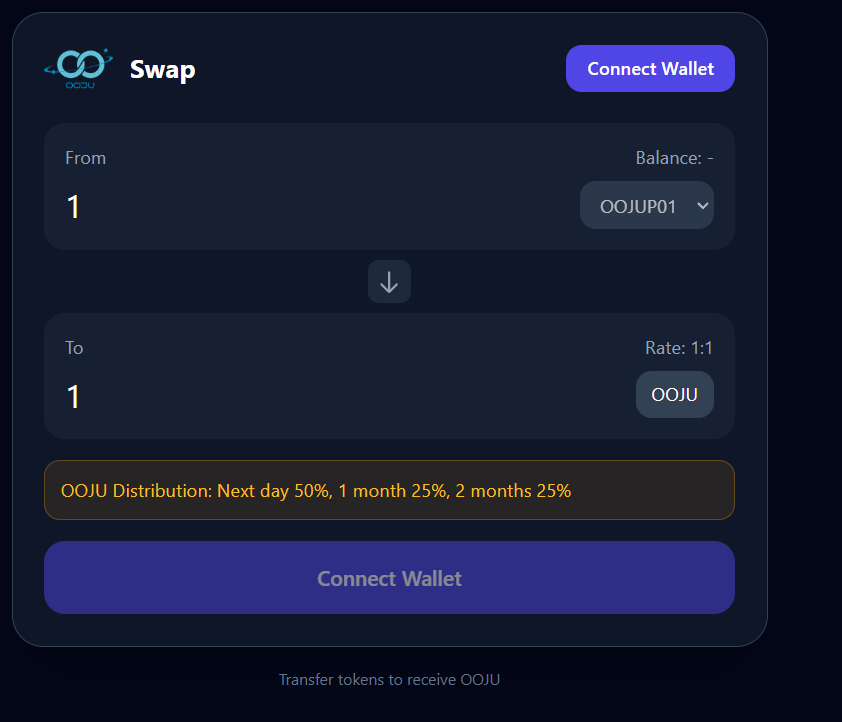
1. Go to
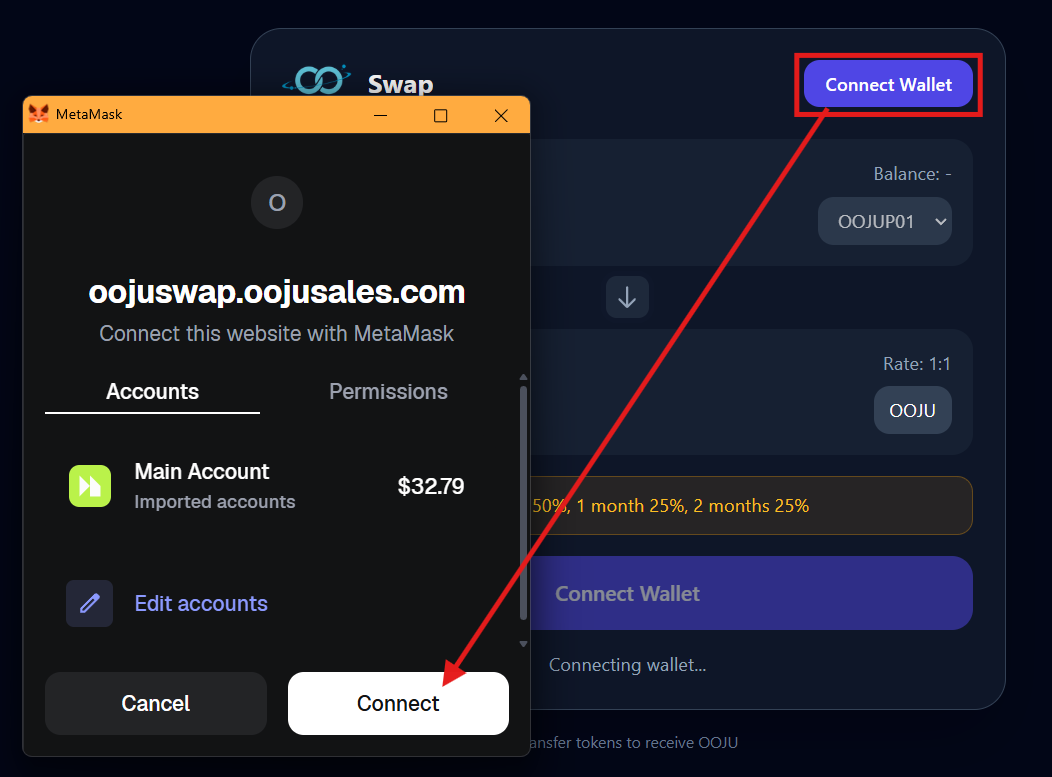
2. Click on "Connect Wallet", once your wallet opens MetaMask click on "Connect'
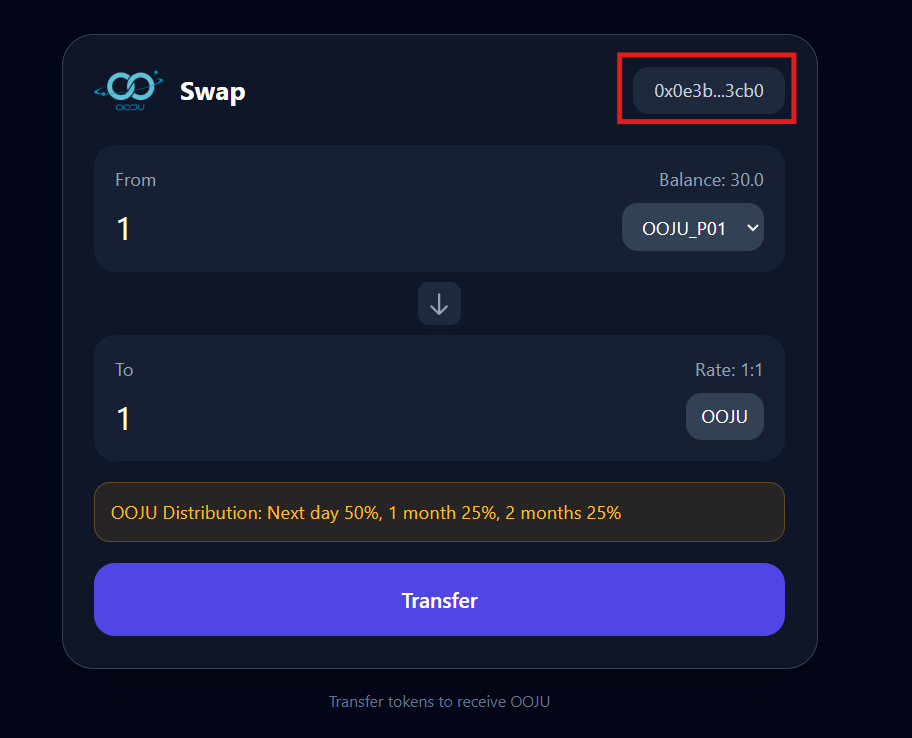
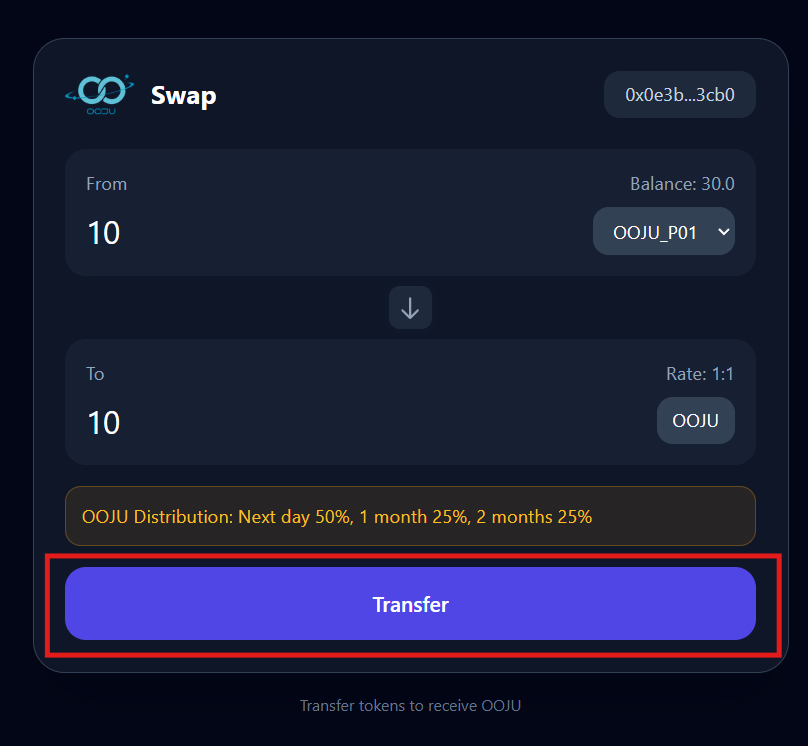
3. Once your wallet is successfully connected your wallet address will be displayed as shown below in the screenshot along with your token balance.
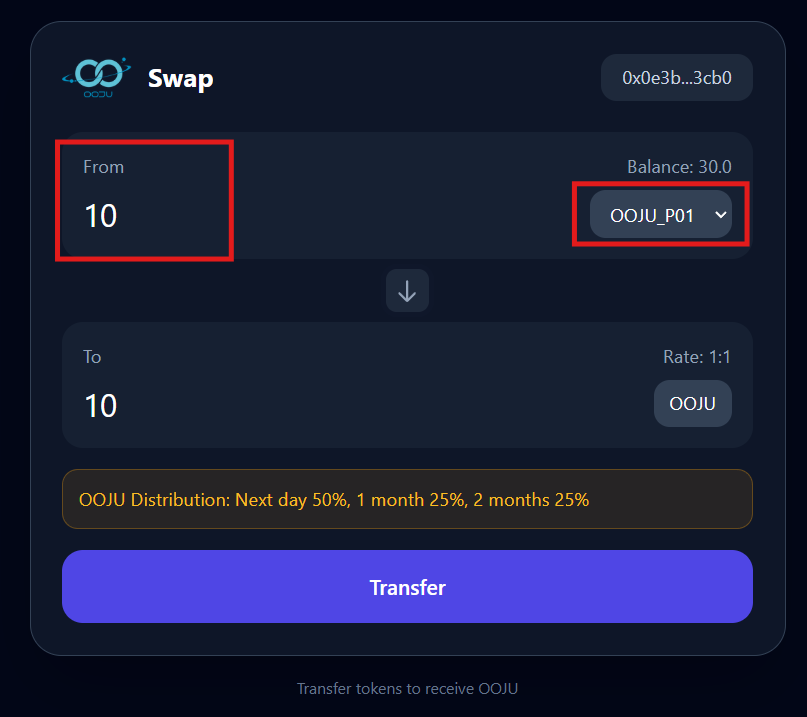
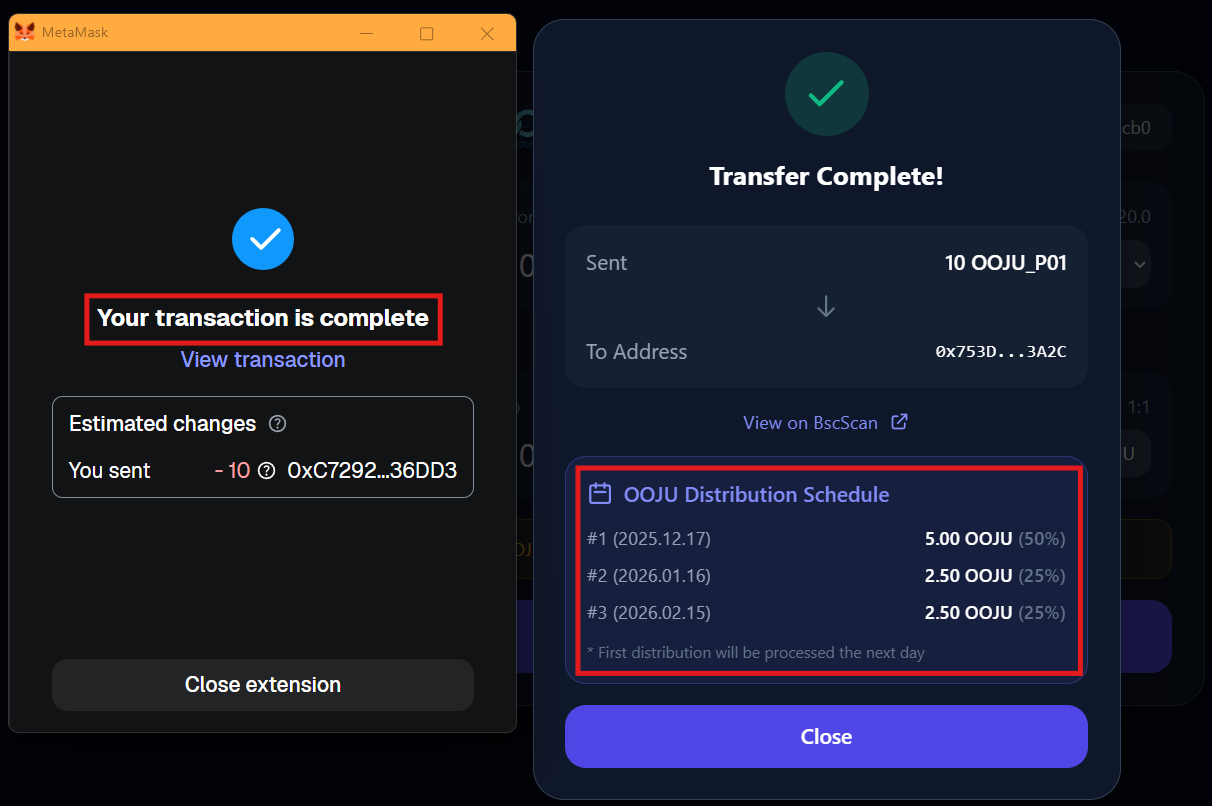
4. Go to "From" and enter the amount of Tokens you'd like to swap to OOJU and then select the token type from the list as shown below. For this example "OOJU\_P01" will be selected.
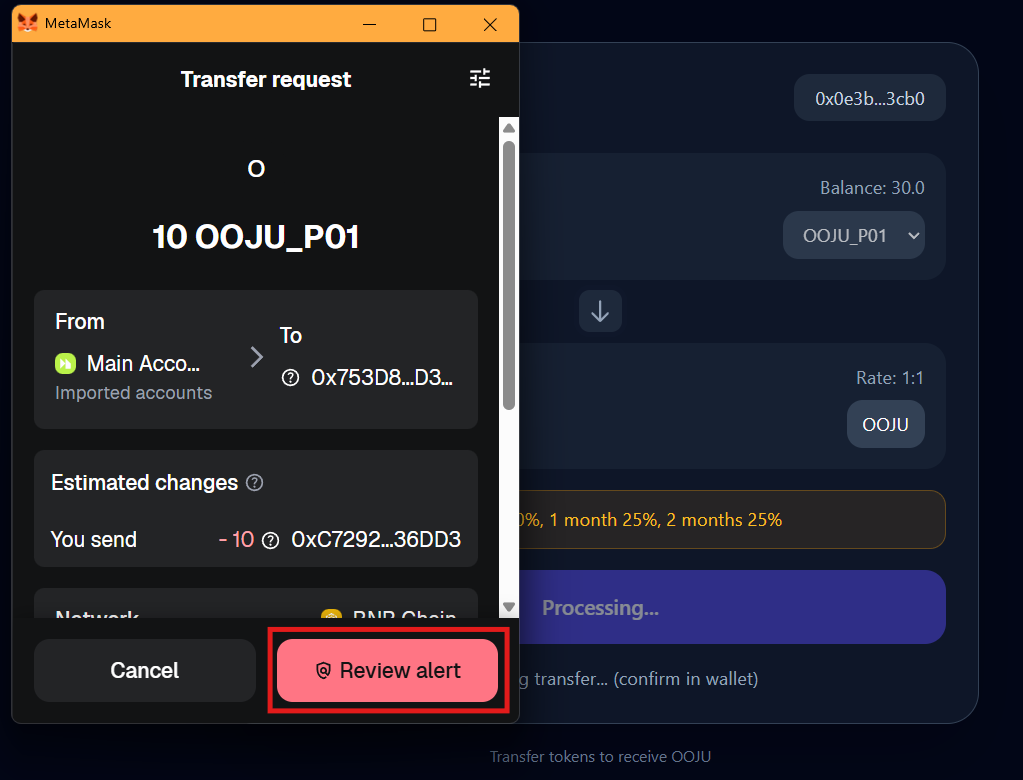
5. Click on Transfer, and your MetaMask wallet will open. If your Wallet doesnt open, click on the wallet icon on your browser or refresh the website.
6. Click on "Review Alert"
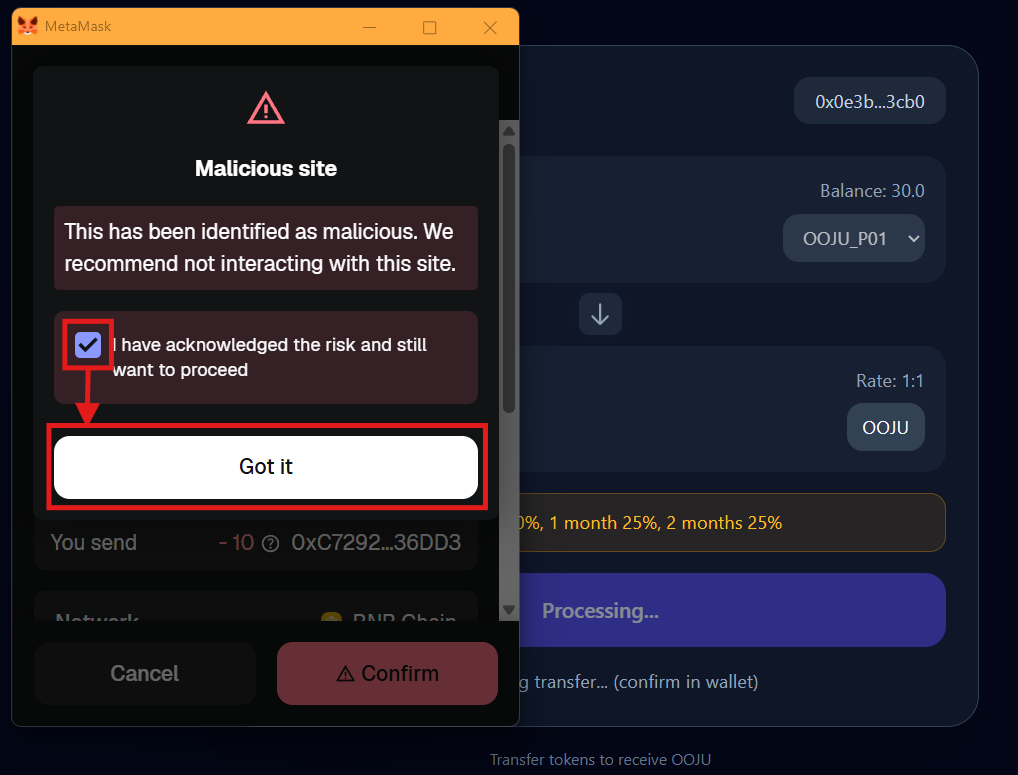
7. Click on the checkbox and then click on "Got it"
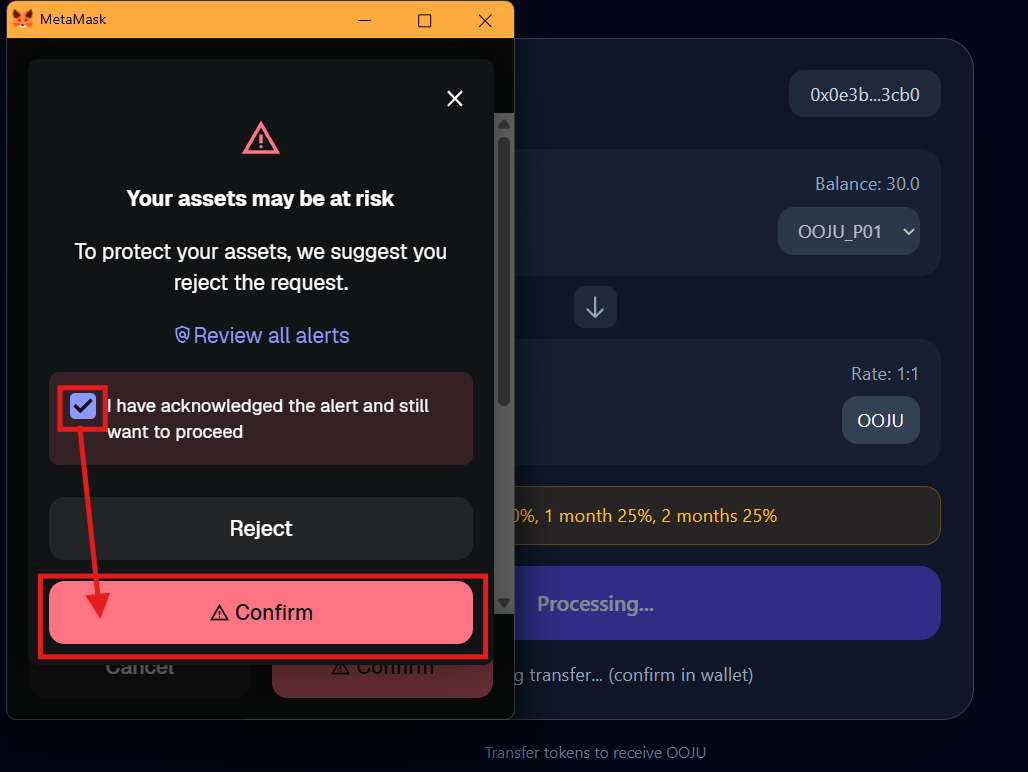
8. Confirm once more, click on the checkbox and click on "Confirm"
9. The transaction is successfully complete, OOJU has been transferred to the swap address and your OOJU is scheduled to be sent to your wallet on the dates listed below. The first transaction which is 50% of the swapped amount will be available the next day.