> For the complete documentation index, see [llms.txt](https://ooju.gitbook.io/defi/llms.txt). Markdown versions of documentation pages are available by appending `.md` to page URLs; this page is available as [Markdown](https://ooju.gitbook.io/defi/dashboard/dashboard-introduction..md).
# Dashboard Introduction.
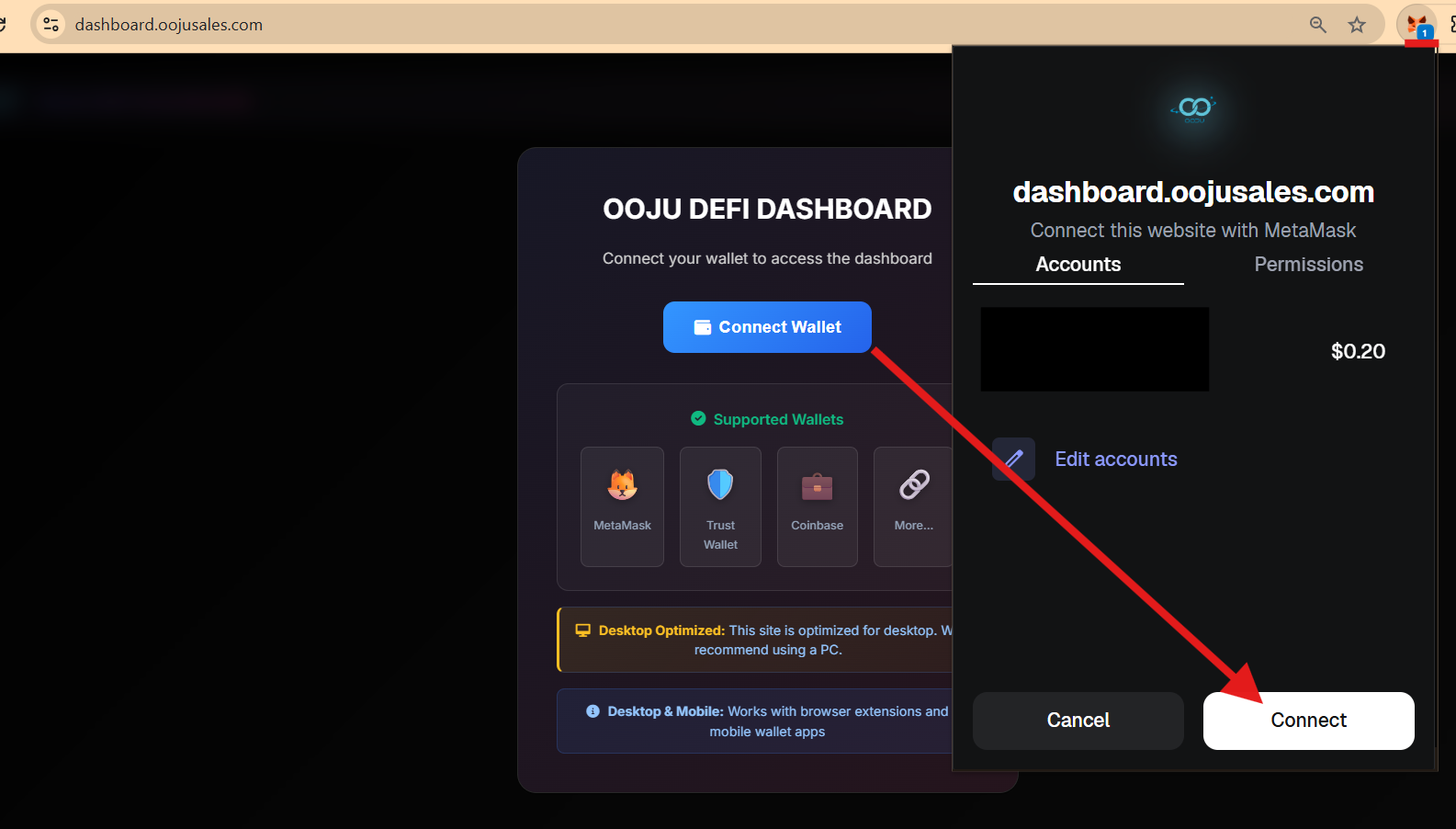
1. Go to [www.dashboard.oojusales.com](http://www.dashboard.oojusales.com) and click on "Connect Wallet"
2. After clicking on Connect Walelt, your wallet will open, if you want to change your wallet click on "Edit Accounts" To choose a specific account. Click on Connect.
3. If you get an error message after clicking on "Connect Wallet" Just click on your MetaMask Wallet located within the top right which will show a number.
4. When you first login to the dashboard using your MetaMask Wallet, you will be asked to complete a short form. Complete the sections marked "Country", "Full Name" and 'Phone Number. After you complete this section make sure to read the Terms of Service, Privacy Policy and Platform Usage Guide. Without Checking this box you cannot use the platform. Make sure you thoroughly read and understand it. Once you check the box, click on "Start Using Platform.
5. After you click on "Start Using Platform", You will be shown Dashboard Announcements, make sure you read it thoroughly and then click on "Close" To access the dashboard.
6. \[A] This shows your Connected Wallet, to disconnect click on "Logout"\
\[B] This shows the current OOJU Price Information, highs, lows and volume. Make sure you take this into consideration when participate within the program. The price changes in real-time as data is pulled directly from LBANK\
\[C] This will show your Transaction history from previously participated programs. You can participate within 1 MORE re-participation program and also access the OUT page which gives you your OOJU Tokens at the end of your maturity period.