> For the complete documentation index, see [llms.txt](https://ooju.gitbook.io/defi/llms.txt). Markdown versions of documentation pages are available by appending `.md` to page URLs; this page is available as [Markdown](https://ooju.gitbook.io/defi/dashboard/100-release.md).
# 100% Release
In this guide we will show you how to participate within the 1 More 90% Program which is available within the OOJU Dashboard following completion of the DeFi Maturity period.
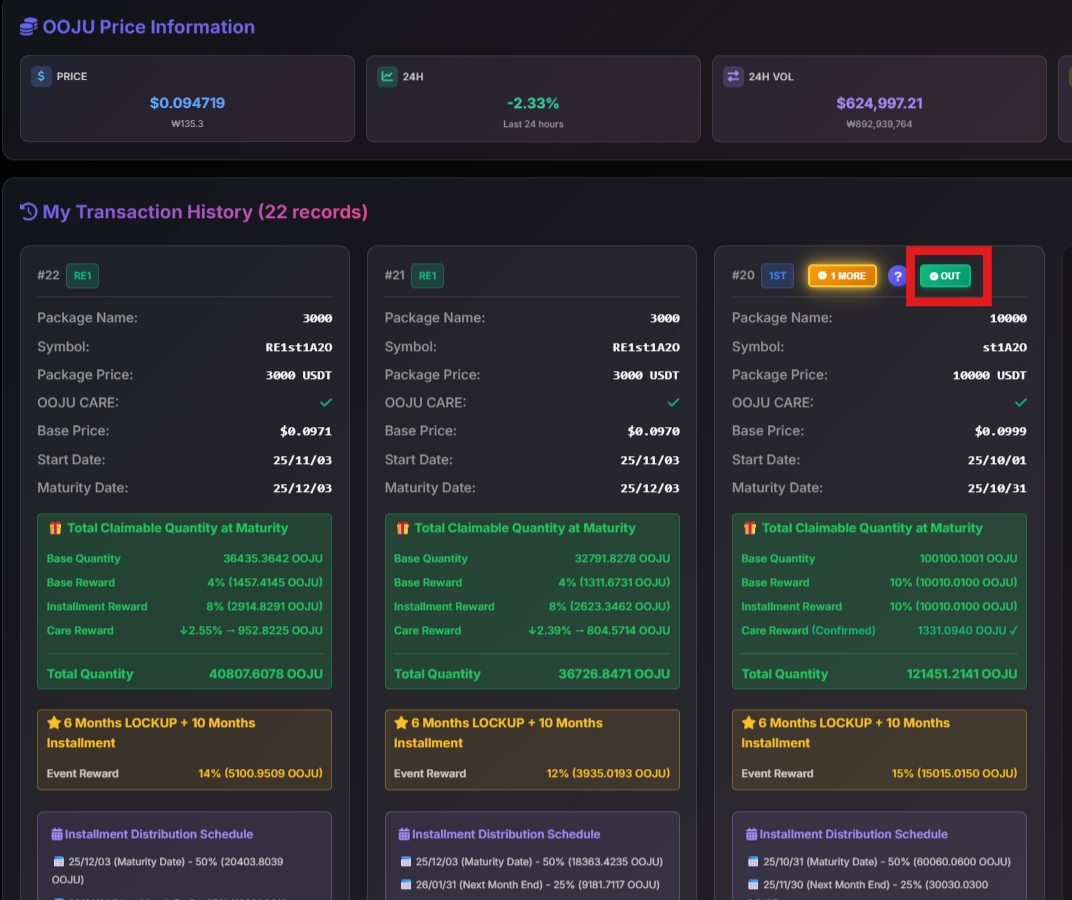
1. Click on "OUT" to start the process to receive your OOJU Tokens.
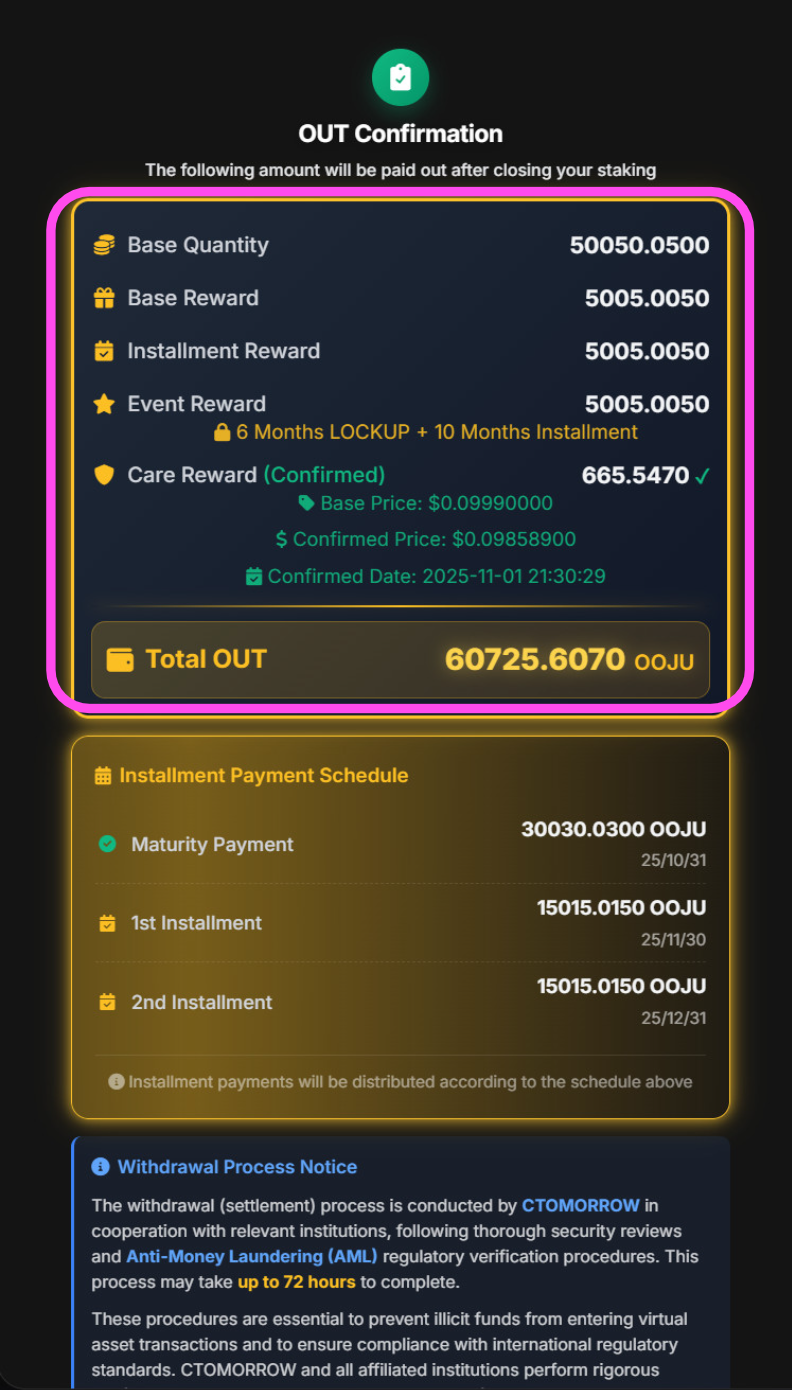
2. Make sure you check the OUT Confirmation display. As this is an irreversible action we ask users to verify it properly before proceeding it with it.
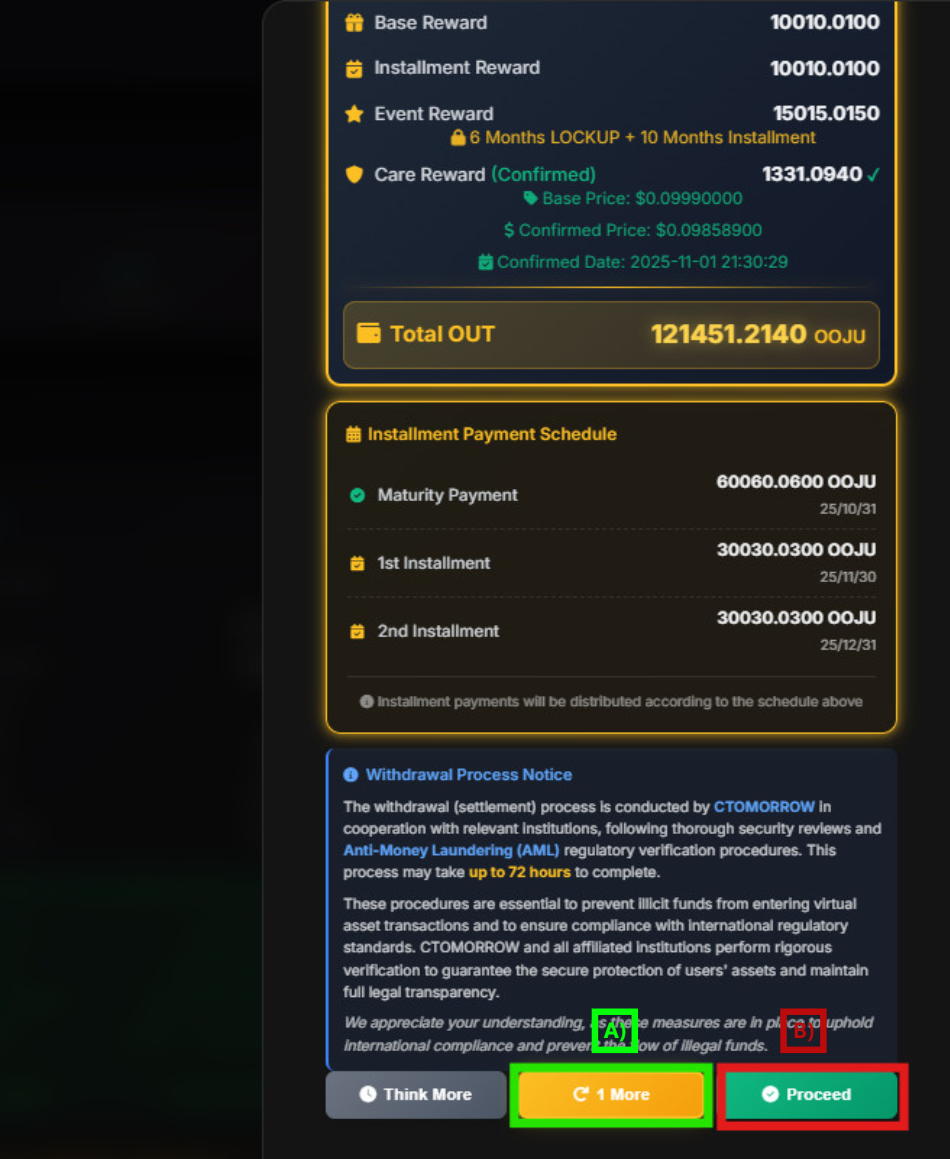
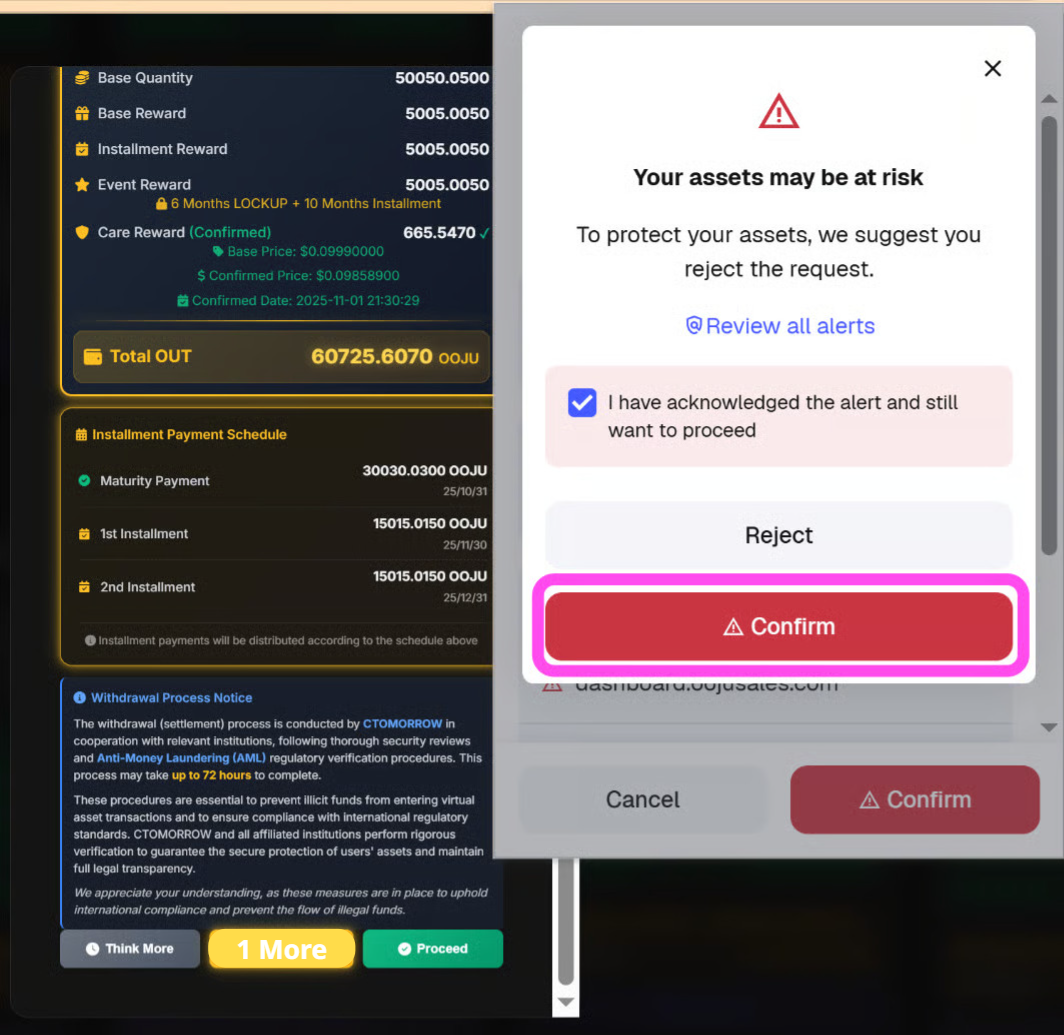
3. \[A] For this option if you click "1 More" you will be redirected to the "1 MORE" page where you can re-participate again.\
\[B] If you click on Proceed, you will initiate the process of receiving your OOJU Tokens. After the Pop-up it will open your MetaMask Wallet.
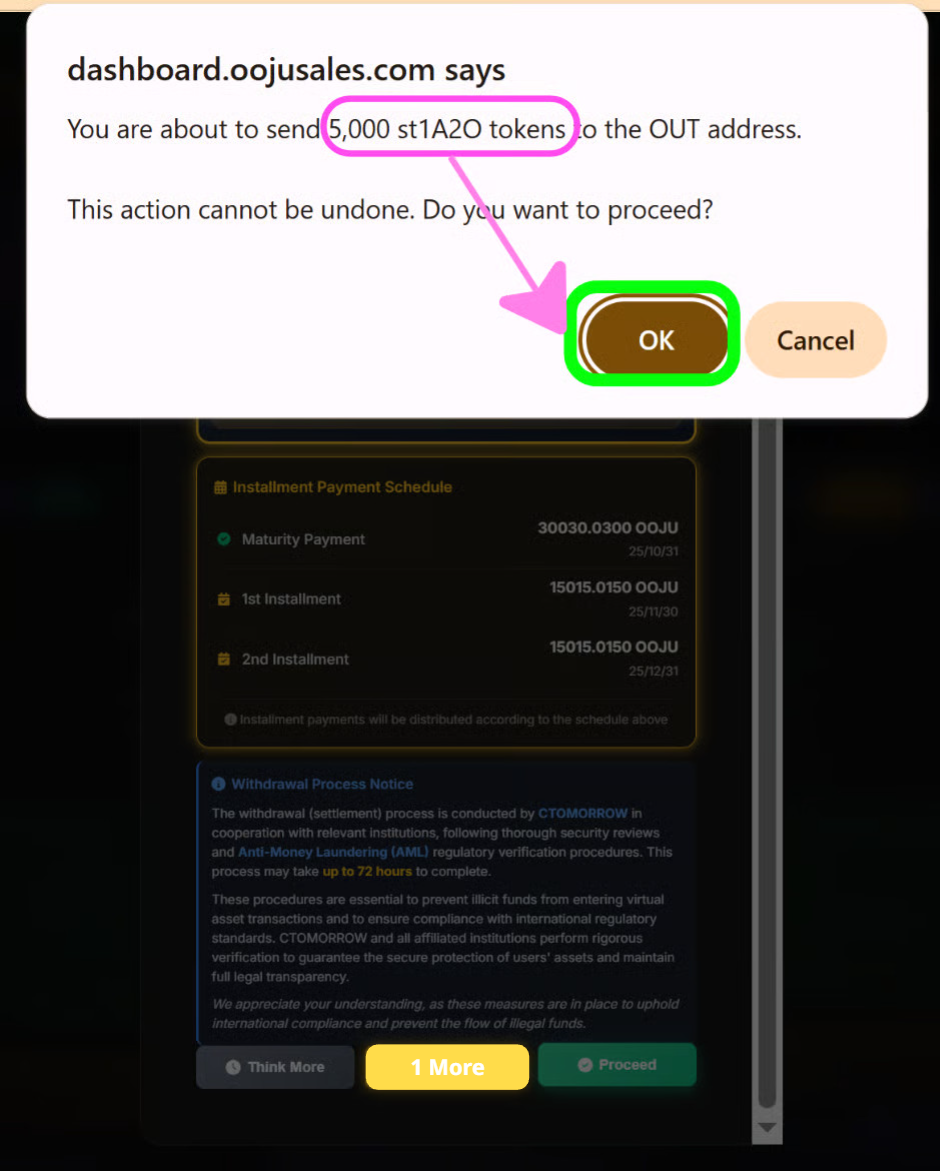
4. After clicking on Proceed, a pop-up is displayed asking you for confirmation. Click on OK.
5. After clicking on "OK" on the pop-up display, MetaMask will open, Review the information correctly as this is transferring 5000 ST1A20 from your wallet to the ST1A20 Token Pool. In exchange users will receive 100% of their OOJU Tokens (Within 72 hours).
6. After clicking on Review Alert, make sure that you select the checkbox and then click on Confirm.
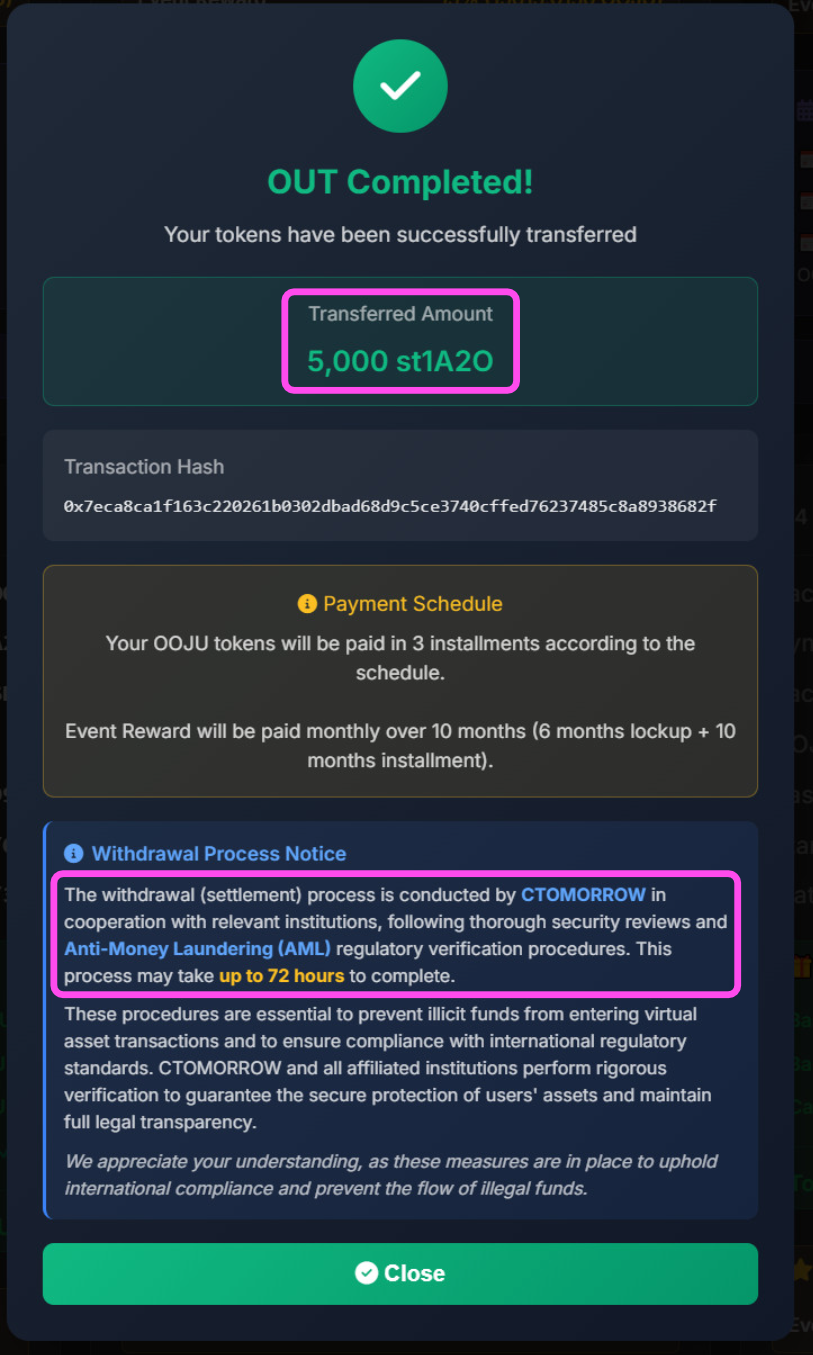
7. After clicking on Confirm, you have successfully transferred your st1A2O to the Token Pool. For example if you Completed OUT for the 5000 st1A2O package, after completing it 5000 st1A2O Will be transferred from your wallet to the Token Pool. If you chose Installments you will receive it in 3 installments, if you chose lump-sum then you will receive it all at once (Reward differs per option).
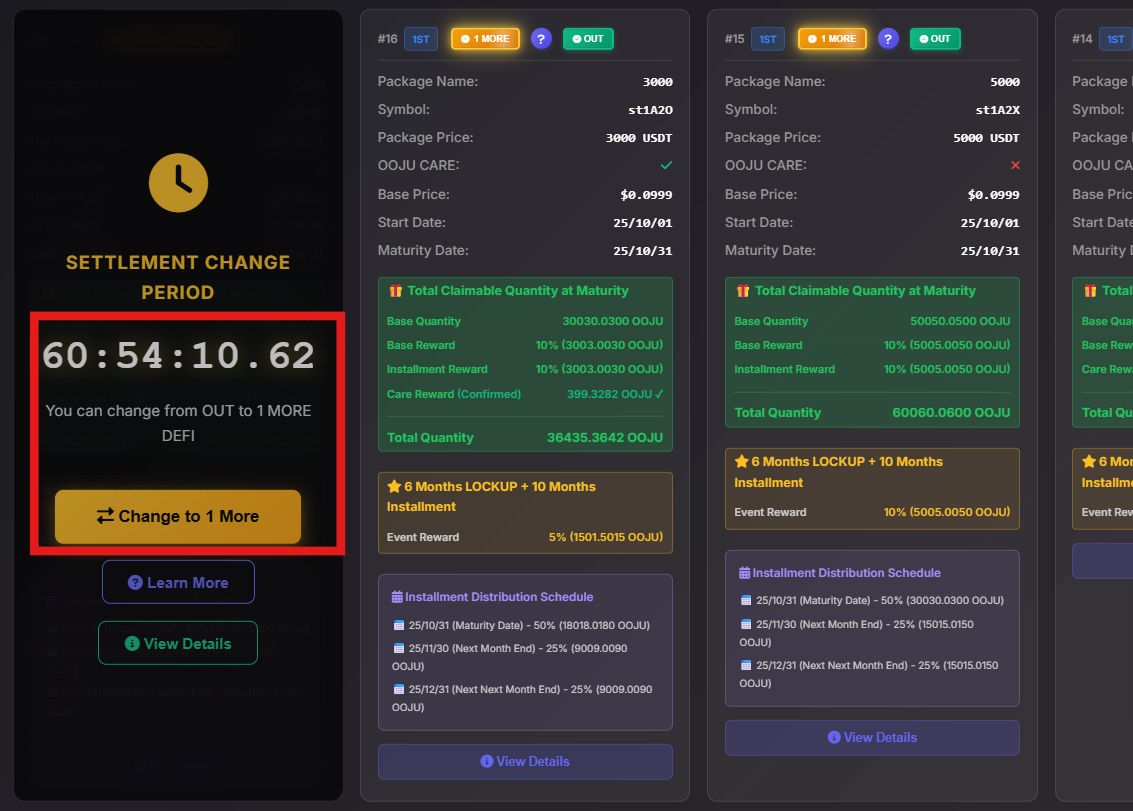
8. After you click on the "Close" button your transaction will change to a count down. Before any tokens are paid out there is a 72 hour settlement period. For users who change their mind and want to re-participate within the 1 MORE Program to get more rewards, we have made it very accessible so you can easily switch from OUT Settlement to 1 MORE Program. To re-participate within 1 MORE, click on "Change to 1 MORE"
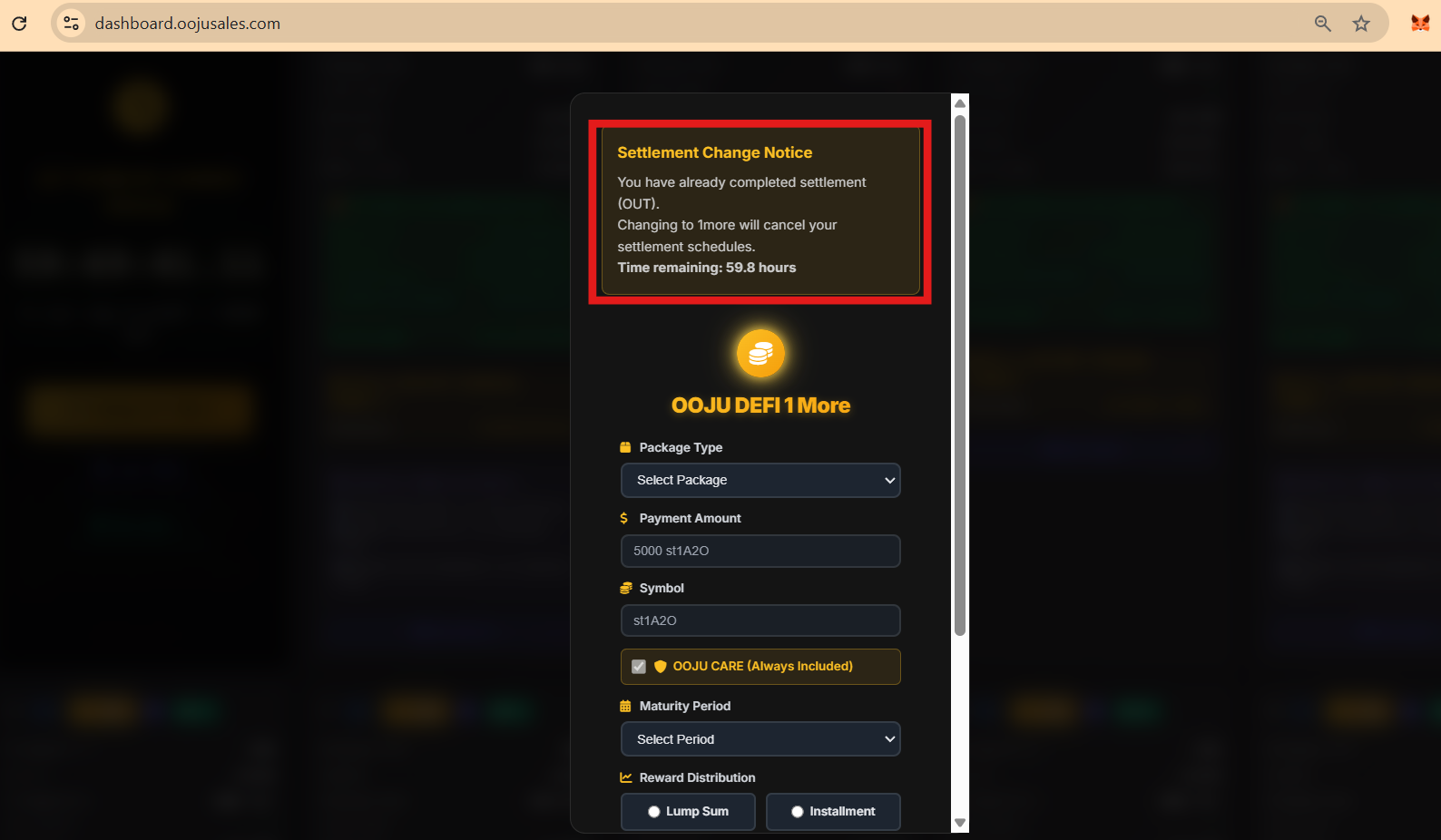
9. If you clicked on "Change to 1 MORE", a pop up message will be displayed which shows that you have already completed settlement (OUT) and if you click on "1 MORE" it will cancel your settlement schedule.