> For the complete documentation index, see [llms.txt](https://ooju.gitbook.io/defi/llms.txt). Markdown versions of documentation pages are available by appending `.md` to page URLs; this page is available as [Markdown](https://ooju.gitbook.io/defi/dashboard/1-more-90.md).
# 1 More 90%
In this guide we will show you how to participate within the 1 More 90% Program which is available within the OOJU Dashboard following completion of the DeFi Maturity period.
1. Select "1 MORE" within the DeFi Dashboard to re-participate within the program.
2. After clicking on "1 MORE" a pop-up will be displayed asking if you would like to proceed. After confirming the details, click on "OK"
3. This is the DeFi 1 MORE program page where you can re-participate within the DeFi Program. The highlighted fields must be completed before proceeding.
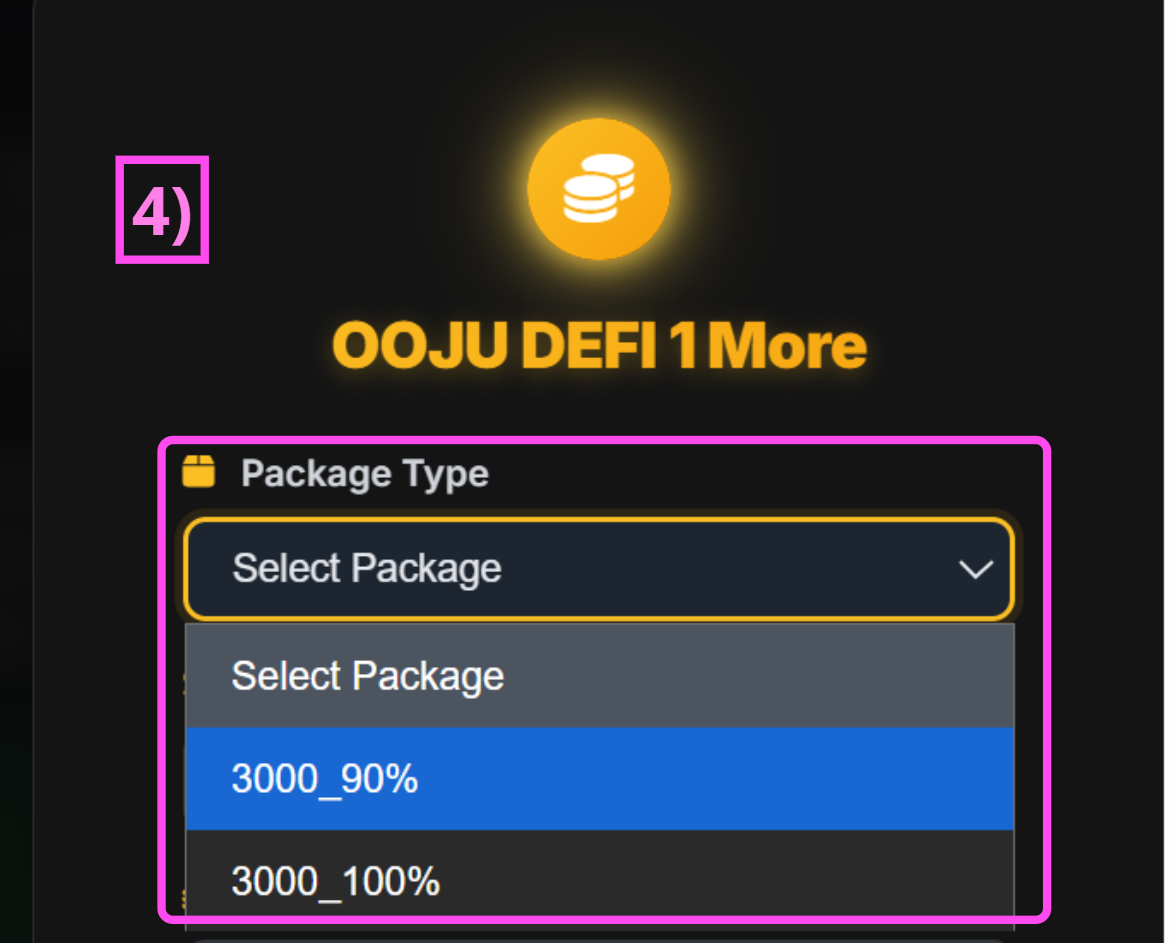
4. If your previous staking amount was 3,000, you’ll see package options such as “3000\_90%” or “3000\_100%” when selecting Package Type.
For this guide, we will select: **`Package Type → 3000_90%`**
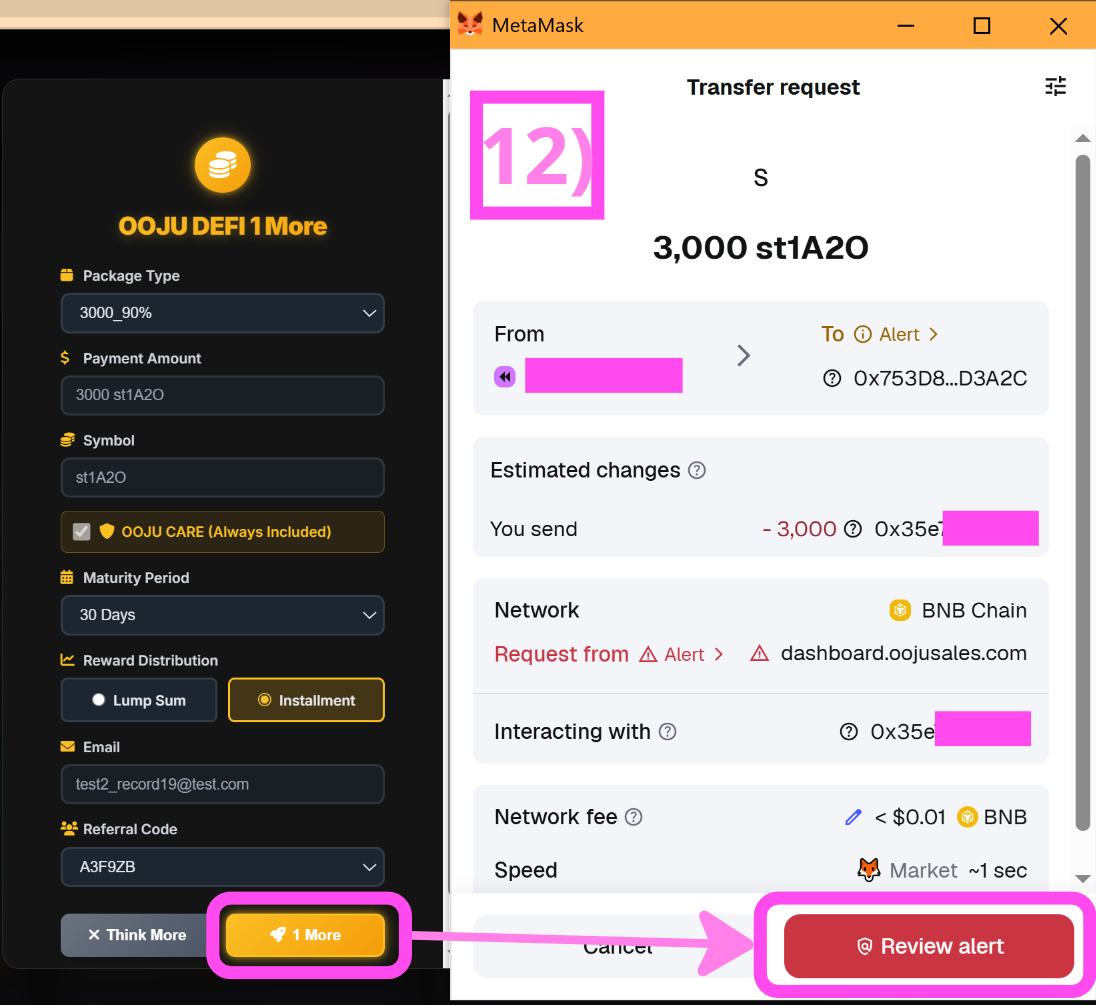
5. \[5] Confirm the Payment amount to make sure it matches the exact token from your original DeFi Program. \
\[6] Confirm the Symbol to verify it matches the original token. \
\[7] A major benefit of the “1 More” program is that OOJU Care is always included, the fee for this will be covered by the company.\
\[8]Select Maturity Period to select a period from 30-120 days. For this guide, 30 Days will be selected
6. \[9] Select your preferred distribution. Rewards differ from Lump Sum and Installments For this guide, Installment will be picked. \
\[10] Make sure this is the same email you used when you participated in the DeFi Program.
7. If you have a Referral Code, Choose one from the list below. IF you do not have a referral code just click on None
8. Click on “1 More”, MetaMask will open. Confirm the amount, Token Symbol and click on Review Alert.
9. After clicking on "Review Alert", you will be shown this screen which is a standard warning from MetaMask. Click on the box and press "Got it"
10. After clicking on "Got it", the purchase is marked complete and the dashboard will show a "Transaction Succesful!" screen. You can confirm from your MetaMask Wallet (After adding the contract addresses, that 1) St1a20 was taken and you received RE1st1A20.
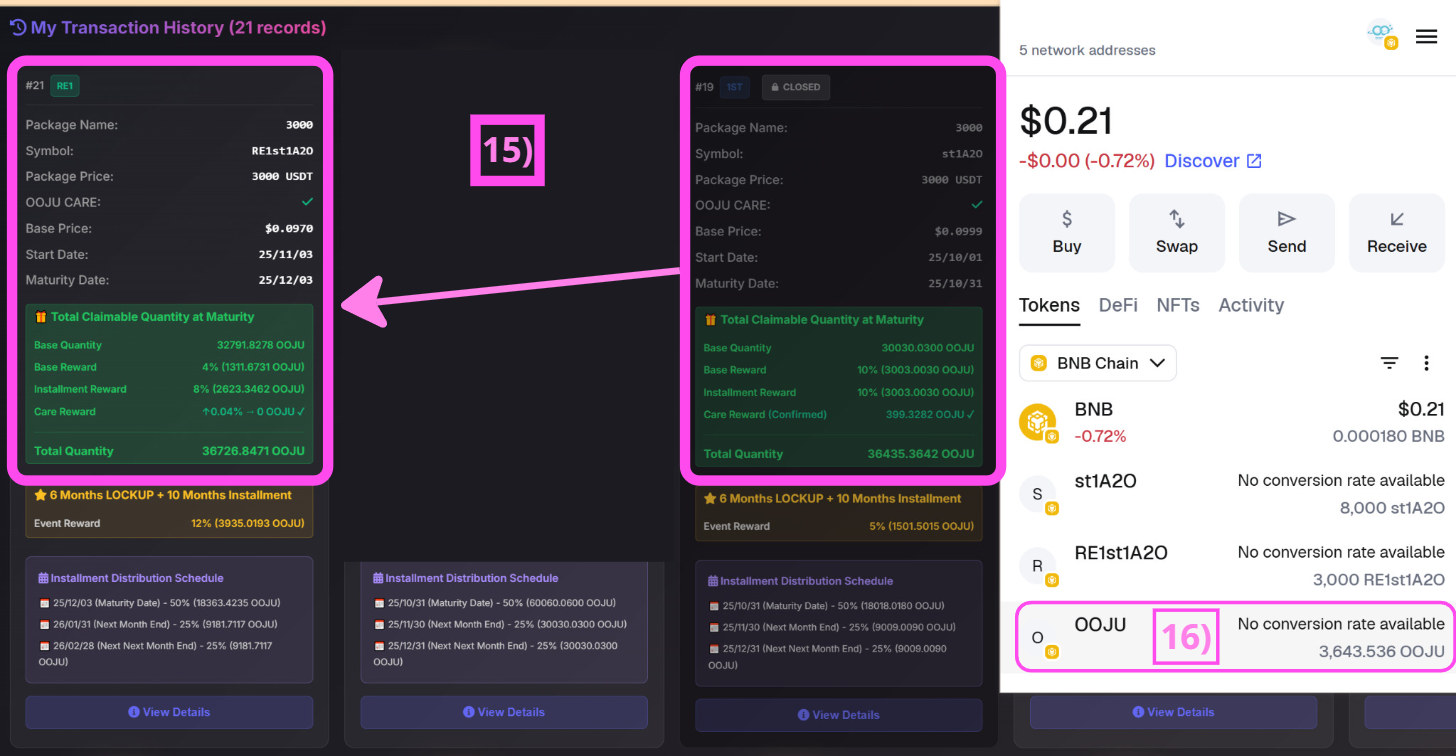
11. \[15]You can see that the previous defi program participation is marked as closed. And now There is a new transaction labelled #21 which is for "1 More". If you verify your MetaMask wallet you cn also see that you will receive 10% of the amount you were supposed to receive if you chose "OUT"\
\[16] After a settlement period of 72 Hours, you will receive 10% of the original amount in OOJU Tokens to your connected MetaMask Wallet.